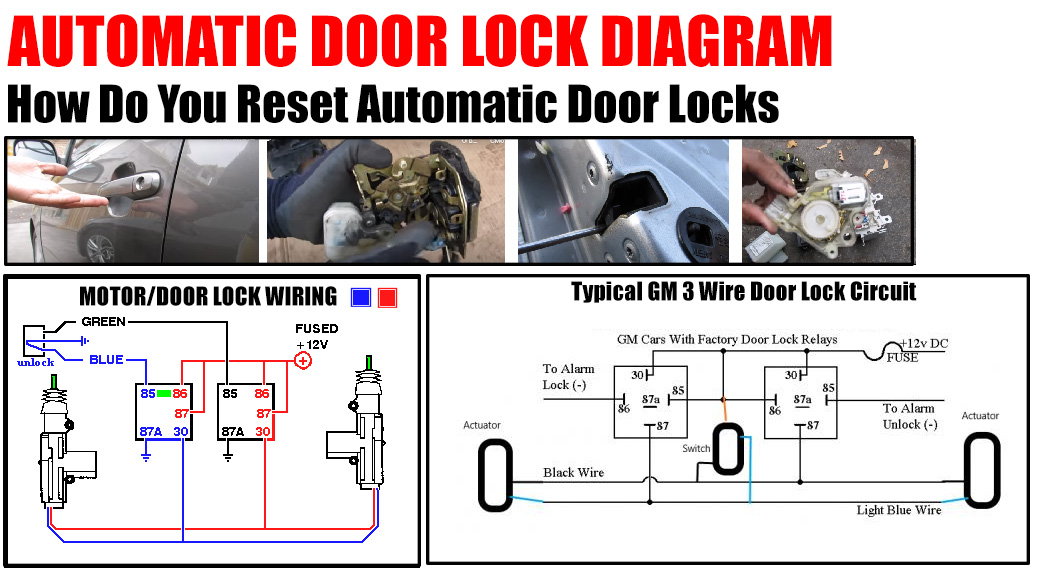
How Do You Reset Automatic Door Locks
Currently Automotive industry is at the stage of a big innovation and revolution to improve the safety of the car. And today we will talk about the system of Automatic Door Locks.
Automatic Door Locks need to lock once the car hits a certain speed.
This function significantly increases the safety of the driver and passengers, especially if there are small children in the car.
However, it is necessary to reset the automatic door locks of your vehicle. There is full information can reply how do the auto door lock reset process for most cars.
How to Reset Automatic Door Locks on a Ford
How to disable automatic door locks in a Ford car?

Here’s the way how it’s done:
To initialize the vehicle, activate the ignition and depress the unlock door control thrice. Next, deactivate the ignition and repeat the action of pressing the unlock control three times. Reactivate the ignition thereafter. At this juncture, an audible cue will confirm entry into the programming mode. Proceed by engaging the lock control followed promptly by the unlock command. An audible signal in the form of a single horn sound indicates successful deactivation of the automatic door locking feature. Repetition of this sequence will result in a dual horn blast, signifying reactivation of said feature.
Resetting Auto Door Locks on a Honda
Honda offers a comprehensive array of automatic door lock configurations that can be tailored to individual preferences. Below are the steps to access this menu and reconfigure the door lock system:
- Start the vehicle.
- Depress the «Home» button typically located on the left side of the steering wheel.
- Navigate through the «Settings» menu displayed on the central screen using the directional arrow buttons.
- Access the «Vehicle Customization» submenu, then proceed to «Door Setup.»
- Enter the «Auto Door Lock» submenu.
- Here, you can peruse the available settings and toggle the checkboxes to enable or disable them according to your preference. To deactivate the system entirely, mark the box adjacent to «Off.»
Reprogramming Automatic Door Locks on a Toyota
Toyota offers a convenient method to enable or disable your vehicle’s automatic door lock system. With just three straightforward steps, Toyota presents one of the quickest and simplest processes in the industry:
- Ensure all doors are securely closed, and the ignition is turned to the «On» position.
- Shift the gear lever into the «P» (Park) position.
- Press and hold the driver’s side power door lock switch for a duration of five seconds, then release it. Subsequently, the doors will cycle between locking and unlocking, indicating successful reprogramming.
- Note: It’s crucial to execute this entire process swiftly, within a total timeframe of 10 seconds. Therefore, once you’ve initiated the ignition to the «On» position, promptly proceed with the subsequent steps. In case you need to revert your adjustments and reactivate the system, simply repeat the same steps outlined above.
Resetting Auto Door Locking on a Chevrolet
Chevrolet, like several other major automotive brands, empowers owners with the flexibility to deactivate automatic door locking functionality if desired. Although the procedure bears resemblance to that of other manufacturers, Chevrolet introduces a few distinctive nuances.
- Ensure that all doors are in an unlocked state, while refraining from initiating the engine.
- Grip and maintain pressure on the turn signal lever in a rearward direction.
- Transition the ignition to the «On» position, followed by a swift return to the off position.
- Repeat the aforementioned three steps for a second iteration, then release the turn signal lever.
- Subsequently, the vehicle should execute a cycle of locking and unlocking.
- To finalize the procedure, promptly depress the power door lock button twice.
Resetting the Automatic Door Lock System on a Nissan
For Nissan vehicle drivers, configuring the automatic door locks to your preference is a straightforward process. Follow these steps to activate or deactivate the system:
- Enter the vehicle and ensure all doors are securely closed.
- Turn the ignition key to the «On» position.
- Press the power door lock button, shifting it to the «Unlock» position, and hold it down for a duration of five seconds or longer.
- A flashing hazard indicator will indicate the successful deactivation of the system. To revert your settings, simply repeat the process outlined above.
Resetting Auto Locking on a Jeep
Jeep offers two distinct methods for resetting auto door locks, contingent upon whether your model is equipped with the Jeep Electronic Vehicle Information Control (EVIC) system. Follow the appropriate steps based on your vehicle’s configuration:
For Models with EVIC:
- Ensure the vehicle is in Park mode.
- Start the engine.
- Tap the «Menu» button to access the «Personal Settings» menu, then navigate to locate «Auto Door Locks.»
- Adjust the automatic lock settings according to your preferences, then power off the engine to confirm the changes.
For Models without EVIC:
- Insert the key into the ignition, but refrain from turning it on.
- Close all doors securely.
- Rotate the key from the «Lock» position to the «On» position four times.
- Finalize the process by pressing the «Lock» button on your power door lock switch.
Reasons Why You Might Want to Disable Automatic Door Locks
While automatic door locks are commonly viewed as a crucial safety feature in vehicles, there are instances where disabling them might be preferable. Here are a few reasons why you might choose to reset or deactivate automatic door locks:
Rideshare Use: Frequent users of rideshare services, such as Uber drivers, often find it inconvenient when automatic door locks engage and disengage during multiple stops. The continuous cycle of passengers getting in and out of the vehicle can be disruptive, making it desirable to reset or turn off the automatic locking system.
Personal Preference: For some drivers, manually locking doors aligns better with their preferences and habits. Particularly for experienced drivers accustomed to manually controlling door locks, relying on automatic systems can feel unfamiliar or even frustrating. As a result, these individuals may opt to disable automatic door locks to maintain their preferred level of control over vehicle security.
Automatic Door Locks Repair
Sometimes, rather than completely disabling automatic door locks, the goal is to repair and restore the system’s functionality. If you’re experiencing issues such as inconsistent activation of the auto lock system, a reset and reboot may offer a solution.
For instance, if your automatic door locks are engaging sporadically or failing to operate as expected, performing a system reset can often rectify the problem. By resetting the system, you can effectively troubleshoot and address any underlying issues that may be causing malfunction or irregular behavior. This approach allows you to retain the convenience and security benefits of automatic door locks while ensuring they function reliably.