
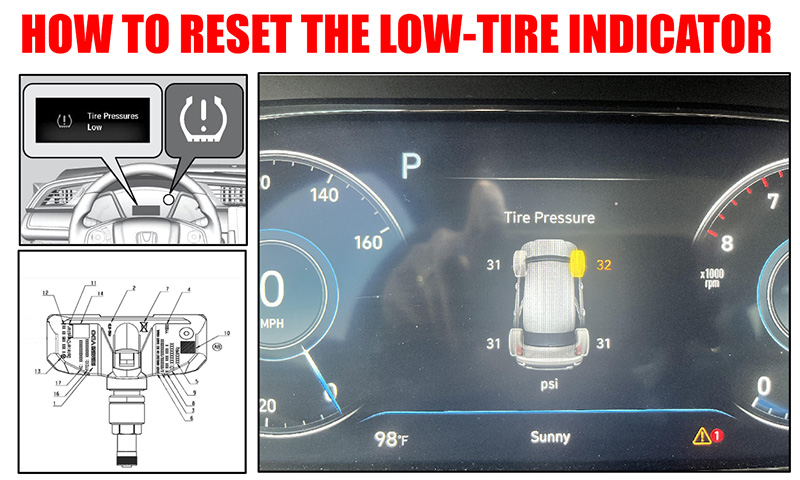
You see that Tire Pressure Management System (TPMS) in your car isn’t working properly.
What can you do?
The first you have to reset the system. Change a new set of tires or correct the tire pressure DIY. These acts can reinitialize the system to get it to re-check the tires.
Check the tire pressure
Consult the vehicle’s operation manual for the tire pressure recommended by the manufacturer. It should include a table specifying the recommended tire pressures for various tire sizes under different weather conditions.
What is the purpose of the TPMS? The Tire Pressure Monitoring System (TPMS) is designed to monitor the pressure in each tire of a vehicle using specialized tire sensors, which transmit this information to the vehicle’s onboard computer.
TPMS Soft Reset Procedure
To update the readings from the tire pressure sensor, the following steps should be taken:
- Turn on the vehicle without starting the engine.
- Press the TPMS reset button located under the dashboard (the indicator will start flashing).
- Turn off the vehicle ignition and wait for 15 seconds.
- Start the engine and check if the TPMS sensor is reading the correct tire pressure values.
Second Method – Adjusting the TPMS System
Check the tire pressure using a pressure gauge and inflate them to the recommended value. Simply drive the vehicle for up to half an hour to reset the system.
TPMS Tire Pressure Reset
Use a specialized TPMS adjustment tool.
Here are the steps you need to follow:
- Activate the TPMS tool.
- Starting with the front tire on the driver’s side, inflate to the recommended pressure. Ensure that the values match the manufacturer’s specifications.
- Connect the TPMS tool to the tire pressure sensor and press “Test”.
- Wait for the tool to record the tire’s registration number and pressure.
- Select “Next” on your TPMS tool, and it should indicate the next tire to check.
- Repeat the steps with all tires, moving clockwise:
- Front passenger tire
- Rear passenger tire
- Rear driver’s side tire
- Turn on the vehicle without starting the engine.
- Connect the TPMS tool to the vehicle’s OBD (On-Board Diagnostics) port or use the appropriate adapter.
- Once the TPMS system registers the tires, start the vehicle and drive for at least 10 minutes at a speed of 25 mph or higher. This should allow the tires to warm up sufficiently and ensure that the system is functioning correctly.
